Please LOG IN to update your profile and ensure secure and seamless e-invoice delivery.

Bill payment e-guide

Get your bill.
Pay it in under a minute.

Your monthly invoice reaches you on four channels. From any of them you can pay straight away — or use the customer portal, Express Payment, or JomPAY if you prefer.

01

Getting your bill

Every invoice is delivered on all four channels below. You only need one of them.

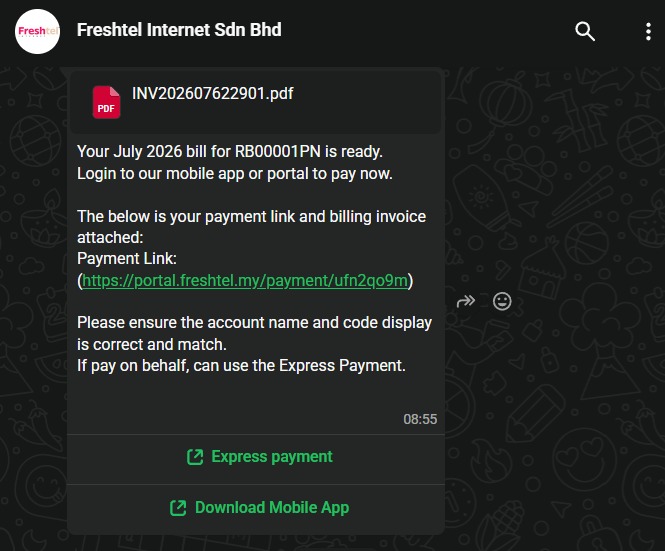
WA

WhatsApp

Tap-to-pay

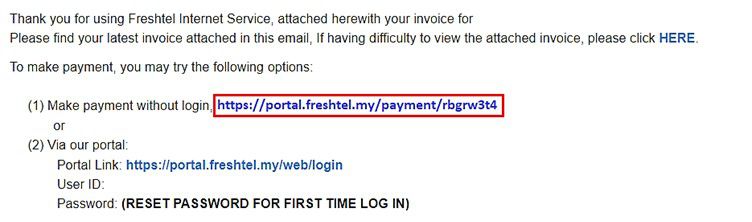
@

Email

PDF invoice

CP

Customer Portal

View outstanding bills

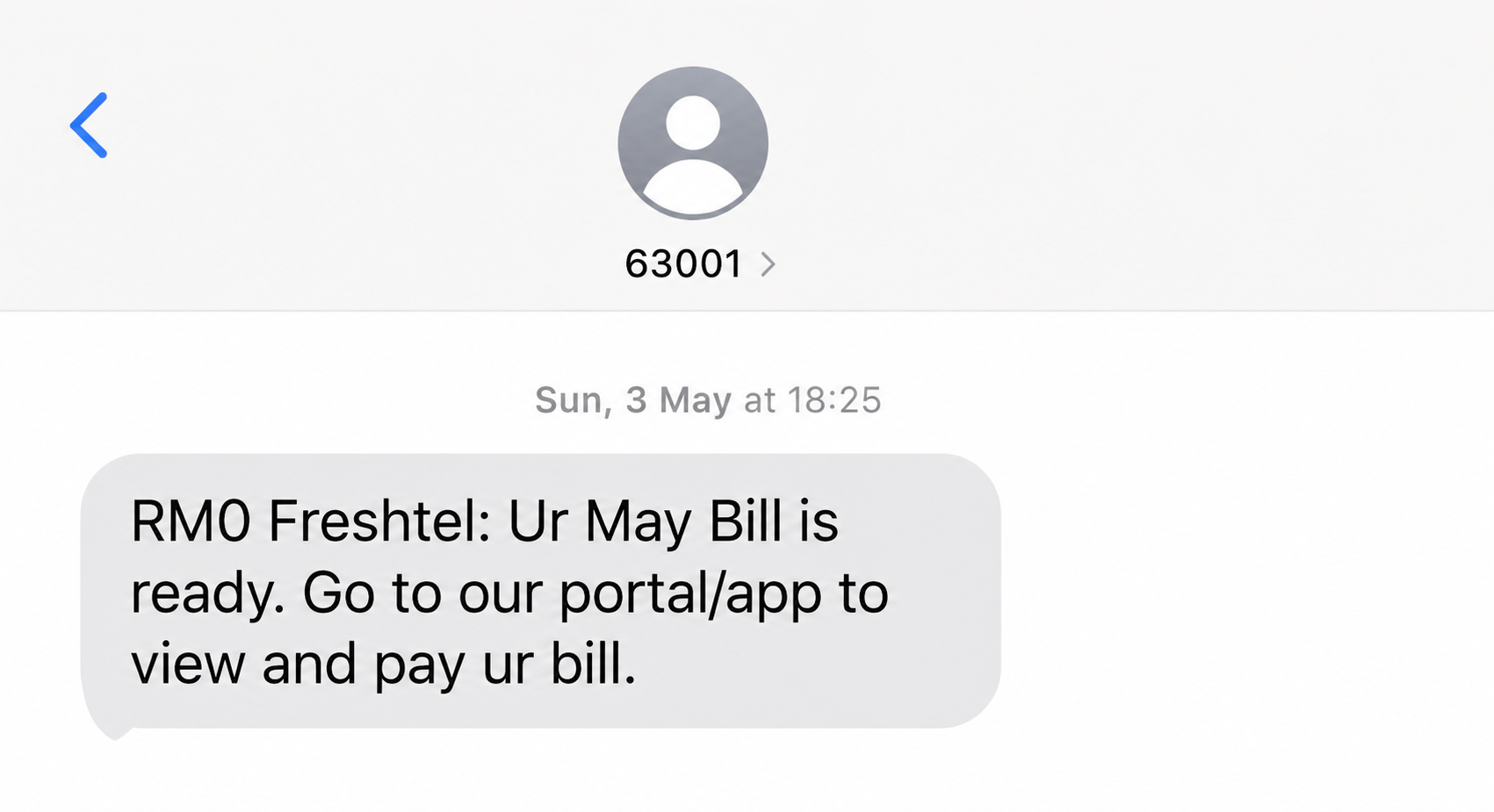
SMS

SMS

Payment link text
02

Making payment

Four ways, from fastest to most detailed. Pick the one that works best for you.
1

Quick Payment

No login needed
A

Invoice Email

Quick-pay redirect link

B

WA or SMS

Message click links

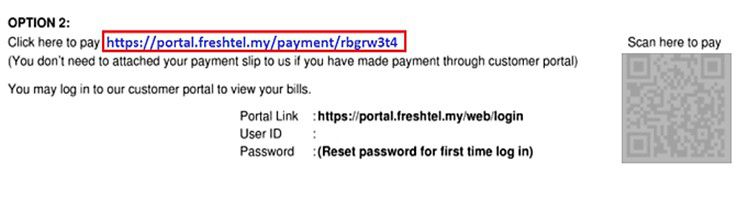
C

QR Invoice

Direct camera scan

2

Pay in the customer portal

See and settle every outstanding invoice
1

Log in at portal.freshtel.my with your email and password.

2

Tick the invoices you want to pay, then click Pay Now. Start from the oldest outstanding bill.

3

Choose Credit / Debit Card or Online Banking / e-Wallet.

4

Agree to the Terms & Conditions and confirm. Card users can switch on Auto Debit here.

Auto Debit is optional. Turn it on and Freshtel charges your card automatically each month when the bill is generated.

Watch the full walkthrough — 2 min
3

Express Payment

No account required

Forgot your password, or paying on someone else's behalf? Go to Express Payment and identify yourself with four details.

01Customer Code
02IC / Passport number
03Registered mobile number
04Registered email address
Watch the Express Payment walkthrough
4

JomPAY

Pay via your preferred online banking

Log into your internet banking or mobile banking app and look for the JomPAY logo.

01Biller Code: (See your invoice)
02Ref-1: Customer Code
03Confirm your payment details and submit.
Watch the JomPAY walkthrough